
Website Redesign Checklist
A website redesign can transform your online presence, improve user experience, increase conversions, and strengthen your search engine rankings. However, redesigning a website without a clear strategy can lead to lost traffic, SEO issues, and wasted investment.
Whether your website looks outdated, performs poorly, or no longer supports your business goals, following a structured redesign process is essential.
In this guide, you’ll learn the complete Website Redesign Checklist to help your business launch a better-performing website in 2026.
Why Businesses Redesign Their Websites
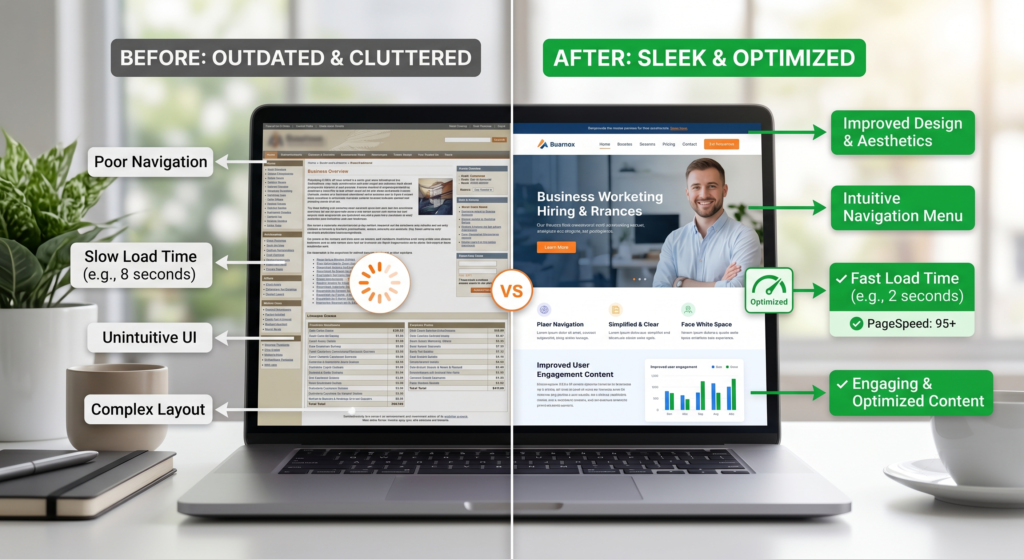
Businesses usually redesign their websites for several reasons:
- Outdated design and branding
- Poor user experience
- Slow loading speed
- Low conversion rates
- Mobile responsiveness issues
- SEO performance problems
- New business goals or services
If your website suffers from these issues, it may be time for a redesign.
Related reading:
When Should a Business Redesign Its Website?
Step 1: Define Your Redesign Goals
Before making any changes, identify what you want to achieve.
Common goals include:
- Generate more leads
- Increase online sales
- Improve SEO rankings
- Enhance brand image
- Improve website speed
- Increase conversion rates
Clear goals help guide every redesign decision.
Related:
How Professional Website Development Helps Your Business Grow
Step 2: Audit Your Current Website
Analyze your existing website to identify strengths and weaknesses.
Review:
- Traffic performance
- Top-performing pages
- Bounce rates
- Conversion rates
- Technical issues
- User behavior
Tools like Google Analytics can help identify what is working and what needs improvement.
Learn more:
How Website Analytics Can Improve Your Business ROI
Step 3: Review Website Structure and Navigation
A redesign is the perfect opportunity to improve your site’s structure.
Ask:
- Can users find information easily?
- Is navigation simple?
- Are important pages accessible?
A clear website structure improves both user experience and SEO.
Related:
How to Optimize Website Navigation for Better User Experience
Step 4: Update Your Branding
Your website should reflect your current brand identity.
Review:
- Logo
- Colors
- Typography
- Visual style
- Messaging
Consistent branding helps build trust and recognition.
Step 5: Improve User Experience (UX)
User experience should be a top priority during redesign.
Focus on:
- Simpler layouts
- Clear calls-to-action
- Easy navigation
- Mobile responsiveness
Related:
First Impression Matters: Website Design for Businesses (2026)
Step 6: Optimize for Mobile Devices
Mobile traffic continues to dominate online browsing.
Your redesigned website should:
- Adapt to all screen sizes
- Load quickly on mobile devices
- Provide easy touch navigation
Learn more:
Mobile-First Website Design: Why It’s Critical in 2026
Step 7: Preserve and Improve SEO
One of the biggest redesign mistakes is ignoring SEO.
Before launching:
- Audit existing rankings
- Keep valuable URLs when possible
- Create 301 redirects
- Preserve high-performing content
- Optimize metadata
Related resources:
- SEO-Friendly Website Design: Best Practices for Higher Rankings
- On-Page SEO Checklist for Business Websites (2026)
You can also learn more from Google’s SEO guide:
https://developers.google.com/search/docs/fundamentals/seo-starter-guide
Step 8: Improve Website Speed
Speed affects:
- SEO rankings
- User experience
- Conversions
During redesign:
- Compress images
- Optimize code
- Remove unnecessary plugins
- Upgrade hosting if needed
Related:
How Website Speed Impacts SEO & Conversions
You can test performance here:
https://pagespeed.web.dev/
Step 9: Optimize for Conversions
A redesign should generate business results, not just look better.
Review:
- Contact forms
- Landing pages
- Calls-to-action
- Lead generation elements
Related:
- Website Conversion Rate Optimization (CRO): How to Turn Visitors into Customers (2026)
- Landing Page Design Tips That Increase Leads
- Website Development for Lead Generation: Best Practices

Step 10: Review Website Content
A redesign is a great time to refresh content.
Update:
- Service pages
- About page
- Blog content
- FAQs
- Contact information
Remove outdated information and improve clarity.
Related:
How to Create a High-Converting Business Homepage (2026 Guide)
Step 11: Improve Security and Accessibility
Modern websites should be secure and accessible to all users.
Checklist:
- Install SSL certificate
- Update software and plugins
- Follow accessibility standards
- Secure forms and user data
Related:
- Website Security Essentials for Businesses in 2026
- How to Make Your Website ADA & Accessibility Compliant
Step 12: Test Everything Before Launch
Before publishing your redesigned website:
✔ Test all links
✔ Test forms
✔ Check mobile responsiveness
✔ Verify page speed
✔ Review SEO settings
✔ Test on multiple browsers
Thorough testing prevents costly issues after launch.
Step 13: Monitor Performance After Launch
The work doesn’t stop after launch.
Track:
- Traffic
- Rankings
- Conversions
- User behavior
Regular monitoring helps identify opportunities for improvement.
Related:
Website Maintenance Guide: Why Your Business Website Needs Ongoing Support

Common Website Redesign Mistakes to Avoid
Avoid these common errors:
- Redesigning without goals
- Ignoring SEO
- Focusing only on visuals
- Removing valuable content
- Not testing before launch
- Ignoring mobile users
Related:
Common Website Design Mistakes That Hurt SEO in 2026
External Resources
- Google SEO Starter Guide: https://developers.google.com/search/docs/fundamentals/seo-starter-guide
- Website Performance Best Practices: https://web.dev/performance/
- UX Design Research: https://www.nngroup.com/articles/
Conclusion
A successful website redesign requires much more than a new look. It involves strategy, SEO, user experience, performance optimization, and conversion-focused improvements.
By following this website redesign checklist, businesses can launch a modern, high-performing website that supports growth, improves rankings, and generates more leads in 2026.
A redesign should not only make your website look better, it should make your business perform better.
FAQs
How often should a business redesign its website?
Most businesses should consider a redesign every 3–5 years, depending on technology, branding, and performance needs.
Will a website redesign affect SEO?
Yes, but when handled correctly, a redesign can improve SEO. Proper redirects and optimization are essential.
What is the first step in a website redesign?
The first step is defining clear goals and identifying what problems the redesign should solve.
How long does a website redesign take?
A typical business website redesign can take anywhere from 4–12 weeks depending on complexity and requirements.