
Introduction to Website Audit Checklist
Many businesses invest heavily in website development but rarely evaluate whether their website continues to perform effectively after launch. A website that looked modern and functioned perfectly a few years ago may now be hurting your search rankings, user experience, and conversions.
In 2026, Google’s ranking systems, user expectations, mobile browsing habits, and cybersecurity requirements are more demanding than ever. Even small website issues can significantly impact traffic, lead generation, and online sales.
This is where a comprehensive website audit becomes essential.
A website audit helps identify technical errors, SEO weaknesses, usability problems, slow-loading pages, security vulnerabilities, and conversion barriers. Businesses that regularly audit their websites can improve rankings, increase conversions, reduce bounce rates, and maximize return on investment.
This guide provides a complete website audit checklist that business owners, marketers, and website managers can use to evaluate and improve website performance.
What Is a Website Audit?
A website audit is a systematic review of all factors affecting website performance.
The audit typically evaluates:
- Technical performance
- Search engine optimization
- User experience
- Mobile responsiveness
- Website security
- Conversion paths
- Content quality
- Analytics accuracy
The goal is to uncover problems that prevent your website from achieving business objectives.
Why Website Audits Matter in 2026
Many website issues develop gradually over time.
Examples include:
- Broken links
- Slow loading pages
- Outdated content
- Security vulnerabilities
- Mobile usability issues
- SEO errors
- Declining conversion rates
Without regular audits, these problems can quietly reduce website effectiveness.
Benefits of Website Audits
| Benefit | Business Impact |
|---|---|
| Better SEO Rankings | More organic traffic |
| Faster Website Speed | Lower bounce rates |
| Improved UX | Better engagement |
| Stronger Security | Reduced cyber risks |
| Higher Conversions | More leads and sales |
| Better Mobile Experience | Increased user satisfaction |
Related Reading:
Internal Link: How Website Speed Impacts SEO & Conversions
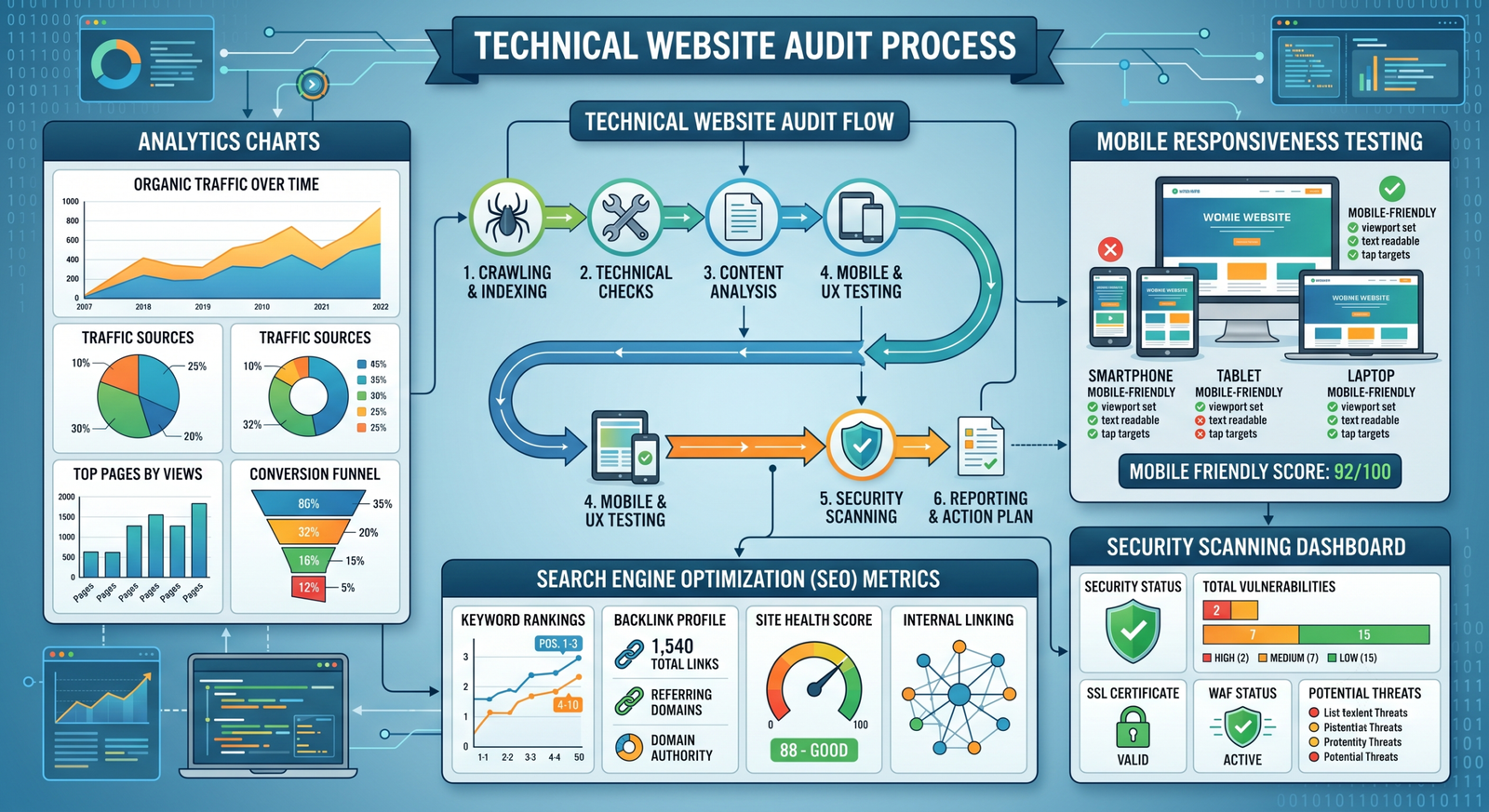
Technical Website Audit Checklist
Technical issues often create the biggest obstacles for search engines and users.
Crawlability Check
Ensure search engines can access your pages.
Verify:
- XML sitemap exists
- Robots.txt is configured properly
- Important pages are indexable
- No accidental noindex tags
Broken Links
Check for:
- 404 errors
- Redirect loops
- Broken internal links
- Broken external links
URL Structure
Good URLs should be:
- Short
- Descriptive
- Keyword relevant
- Easy to read
Example:
Good:
yourbusiness.com/website-audit-checklist
Bad:
yourbusiness.com/page?id=18374
HTTPS Verification
Every page should load securely using SSL certificates.
Secure websites:
- Improve trust
- Support SEO
- Protect user data
Related Reading:
Internal Link: Website Security Essentials for Businesses in 2026
SEO Audit Checklist
SEO problems often remain unnoticed until rankings decline.
Title Tags
Verify:
- Unique title tags
- Target keyword inclusion
- 50–60 character length
Meta Descriptions
Ensure:
- Every important page has one
- Clear value proposition
- Proper character limits
Heading Structure
Check:
- One H1 per page
- Logical H2 and H3 hierarchy
- Keyword relevance
Internal Linking
Strong internal links improve:
- Crawlability
- User navigation
- SEO authority distribution
Recommended Internal Resources:
- SEO-Friendly Website Design: Best Practices for Higher Rankings
- On-Page SEO Checklist for Business Websites (2026)
- Complete Website Development Guide for Businesses (2026)
Image Optimization
Verify:
- Alt text exists
- Proper image compression
- Modern image formats
Website Speed Audit Checklist
Website speed directly affects SEO and conversions.
Core Web Vitals Review
Evaluate:
- Largest Contentful Paint (LCP)
- Interaction to Next Paint (INP)
- Cumulative Layout Shift (CLS)
Server Performance
Check:
- Hosting quality
- Server response time
- CDN implementation
Image Optimization
Large images remain one of the most common speed problems.
Optimize by:
- Compressing images
- Using WebP format
- Lazy loading
Plugin Audit
For WordPress websites:
Remove:
- Unused plugins
- Outdated plugins
- Duplicate functionality
Related Reading:
Internal Link: WordPress vs Custom Website: Which One Should You Choose?
Mobile Optimization Audit
Over 60% of business website traffic now comes from mobile devices.
Mobile Responsiveness
Test:
- Various screen sizes
- Navigation menus
- Forms
- Buttons
Mobile Loading Speed
Mobile users expect near-instant loading.
Audit:
- Image sizes
- JavaScript loading
- Mobile caching
Touch-Friendly Design
Buttons should:
- Be easily clickable
- Have proper spacing
- Avoid accidental taps
Related Reading:
Internal Link: Mobile-First Website Design: Why It’s Critical in 2026
User Experience (UX) Audit Checklist
A website may rank well but still fail due to poor user experience.
Navigation Review
Users should find information quickly.
Evaluate:
- Menu structure
- Search functionality
- Page hierarchy
Related Reading:
Internal Link: How to Optimize Website Navigation for Better User Experience

Homepage Evaluation
Ask:
- Is the value proposition clear?
- Is branding professional?
- Is the CTA visible?
Related Reading:
Internal Link: How to Create a High-Converting Business Homepage (2026 Guide)
Readability
Review:
- Font size
- Contrast
- Content structure
- Whitespace usage
Conversion Rate Optimization (CRO) Audit
Traffic alone doesn’t generate revenue.
Your website must convert visitors into leads or customers.
Call-to-Action Review
Check:
- Visibility
- Placement
- Relevance
- Clarity
Form Optimization
Evaluate:
- Form length
- Mobile usability
- Submission success rates
Landing Pages
Assess:
- Offer clarity
- Trust signals
- User flow
Related Reading:
Internal Link: Website Conversion Rate Optimization (CRO): How to Turn Visitors into Customers (2026)
Website Security Audit Checklist
Cybersecurity risks continue increasing every year.
Security Review
Verify:
- SSL certificate active
- Firewall protection
- Malware scanning
- Login protection
Backup Systems
Ensure:
- Daily backups
- Off-site storage
- Restoration testing
Software Updates
Review:
- CMS updates
- Plugin updates
- Theme updates
Content Audit Checklist
Content quality directly affects rankings and conversions.
Review Existing Content
Check for:
- Outdated information
- Thin content
- Duplicate content
- Poor formatting
Content Performance
Analyze:
- Traffic
- Rankings
- Engagement
- Conversions
Keyword Optimization
Ensure content aligns with current search intent.
Related Reading:
Internal Link: Why Most Business Websites Don’t Convert (And How to Fix It)

Analytics Audit Checklist
Without accurate data, optimization becomes guesswork.
Verify Tracking
Check:
- Google Analytics setup
- Conversion tracking
- Event tracking
- Form submissions
Goal Tracking
Measure:
- Leads
- Purchases
- Calls
- Downloads
Reporting Accuracy
Confirm:
- Traffic data accuracy
- Attribution settings
- Campaign tracking
Related Reading:
Internal Link: How Website Analytics Can Improve Your Business ROI
Complete Website Audit Scorecard
Use this quick scoring system.
| Category | Score (1-10) |
| Technical SEO | |
| On-Page SEO | |
| Website Speed | |
| Mobile Experience | |
| Security | |
| User Experience | |
| Content Quality | |
| Conversion Optimization | |
| Analytics Setup |
Audit Results
| Total Score | Status |
| 80-90 | Excellent |
| 70-79 | Good |
| 60-69 | Needs Improvement |
| Below 60 | Critical Issues Present |
Common Website Issues Found During Audits
Businesses frequently discover:
- Slow page speed
- Poor mobile usability
- Missing meta tags
- Broken links
- Weak CTAs
- Outdated content
- Security vulnerabilities
- Conversion bottlenecks
- Analytics tracking errors
- Poor navigation structures
Many of these problems significantly impact rankings and sales.
10 Actionable Website Audit Tips
1. Perform a full audit every quarter.
2. Monitor Core Web Vitals monthly.
3. Fix broken links immediately.
4. Review website security regularly.
5. Update outdated content.
6. Test mobile performance frequently.
7. Analyze user behavior using heatmaps.
8. Review conversion funnels quarterly.
9. Audit forms and lead generation systems.
10. Continuously improve based on analytics data.
Practical Example
A local service company noticed declining leads despite stable traffic.
Their audit revealed:
- Homepage loading in 7 seconds
- Mobile menu errors
- Broken contact form
- Missing service page meta descriptions
After fixing these issues:
- Bounce rate decreased by 24%
- Lead submissions increased by 38%
- Organic rankings improved within three months
This demonstrates how audits uncover hidden performance barriers.
External Resources
- Google Search Central – Website Optimization
https://developers.google.com/search - Google PageSpeed Insights
https://pagespeed.web.dev - Ahrefs Website Audit Guide
https://ahrefs.com - Semrush Site Audit Tool
https://www.semrush.com
Conclusion
A website is one of the most valuable business assets, but its performance can decline over time without regular evaluation. A comprehensive website audit helps uncover hidden issues affecting SEO, user experience, security, and conversions.
Businesses that conduct routine audits gain a competitive advantage by identifying weaknesses early and continuously optimizing their online presence. In 2026, regular website audits are no longer optional they are essential for sustainable digital growth.
Call-To-Action
Not sure how your website is performing?
Let Omocracy conduct a professional website audit to uncover SEO issues, speed problems, conversion barriers, and security risks. Our experts provide actionable recommendations that help businesses increase traffic, leads, and sales.
Contact Omocracy today and discover how much growth your website may be leaving on the table.
FAQs
What is a website audit?
A website audit is a comprehensive review of website performance, SEO, security, user experience, and conversions.
How often should businesses perform website audits?
At least every quarter, with monthly monitoring of critical metrics.
Are website audits important for SEO?
Yes. Audits identify issues that may hurt rankings and organic traffic.
Can website audits improve conversions?
Absolutely. CRO audits help remove obstacles that prevent users from taking action.
What tools are commonly used for website audits?
Google Search Console, Google Analytics, PageSpeed Insights, Ahrefs, Semrush, and Screaming Frog.
How long does a website audit take?
Basic audits may take a few hours, while comprehensive audits can take several days.